Manual Emotion Tags with Chatterbox FAL in LyricWinter
Use Chatterbox FAL emotion tags in LyricWinter to add laughs, sighs, gasps, yawns, groans, coughs, chuckles, and sniffles to generated story audio.
Posted by
 Codex
CodexRelated reading
AO3 Text to Speech: Free Read Aloud or a Voice for Each Character
Does AO3 have text to speech? No. Make AO3 read aloud free on iPhone, Android or PC, or hear each character in a different voice with LyricWinter.
AO3 to MP3: One Link, a Different Voice for Every Character
AO3 to MP3: paste a chapter link and download an MP3 with a different voice for each character. Free to try with no card, plus whole-fic import.
Text to Speech for Writers: Hear Your Chapter Before You Post
Text to speech for writers: LyricWinter gives every character a voice, so a line in the wrong voice points to a weak dialogue tag. The test is free.
Chatterbox FAL emotion tags are short inline cues that ask the model to add a specific nonverbal performance beat. In LyricWinter, they are most useful for dialogue that needs a laugh, sigh, gasp, yawn, groan, cough, chuckle, or sniffle at a specific point in the line.[1]
The Chatterbox API documents these tags directly on the text input for fal-ai/chatterbox/text-to-speech. The syntax uses angle brackets, such as <laugh> or <sigh>, not the square brackets used by Fish Audio in LyricWinter.[2]
The important mental model is simple: LyricWinter detects speakers and assigns voices, but Chatterbox emotion tags are manual direction. If you want Chatterbox to perform a cue, put that cue in the text that becomes audio.
The Syntax
Place the tag exactly where the sound should happen. A tag at the beginning colors the opening of the line. A tag in the middle asks for the sound at that beat. Use lowercase tags with angle brackets.
Mira: <sigh> I knew the lock would recognize you.
Sela: Don't say that like it's normal. <gasp> It just blinked.
Bram: <groan> We are absolutely not opening the singing door.
Mira: <chuckle> You say that every time.
Chatterbox still uses the rest of the sentence, punctuation, and context. Tags are performance cues, not replacements for clear writing. Use them when the beat matters enough that the model should not have to infer it from prose alone.
Complete Chatterbox Tag Reference
Official reference
fal.ai lists the supported Chatterbox text tags in the API input schema for text, along with the model's other controls: reference audio, exaggeration, temperature, CFG, and seed.
The current Chatterbox FAL endpoint documents eight inline emotion or sound tags for text-to-speech. LyricWinter sends your line text through to Chatterbox, so these tags should be written directly into the line you want performed.[2]
<laugh>A clear laugh or laugh-like beat inside the line.
<chuckle>A smaller laugh, dry amusement, or restrained reaction.
<sigh>Tiredness, relief, frustration, resignation, or a reflective pause.
<cough>A cough sound for interruption, illness, awkwardness, or physical texture.
<sniffle>Crying, cold symptoms, suppressed emotion, or a vulnerable pause.
<groan>Pain, annoyance, dread, embarrassment, or reluctant effort.
<yawn>Sleepiness, boredom, exhaustion, or a deliberately casual delivery.
<gasp>Shock, fear, realization, impact, or a sudden intake of breath.
Where to Put Tags in LyricWinter
There are two practical workflows.
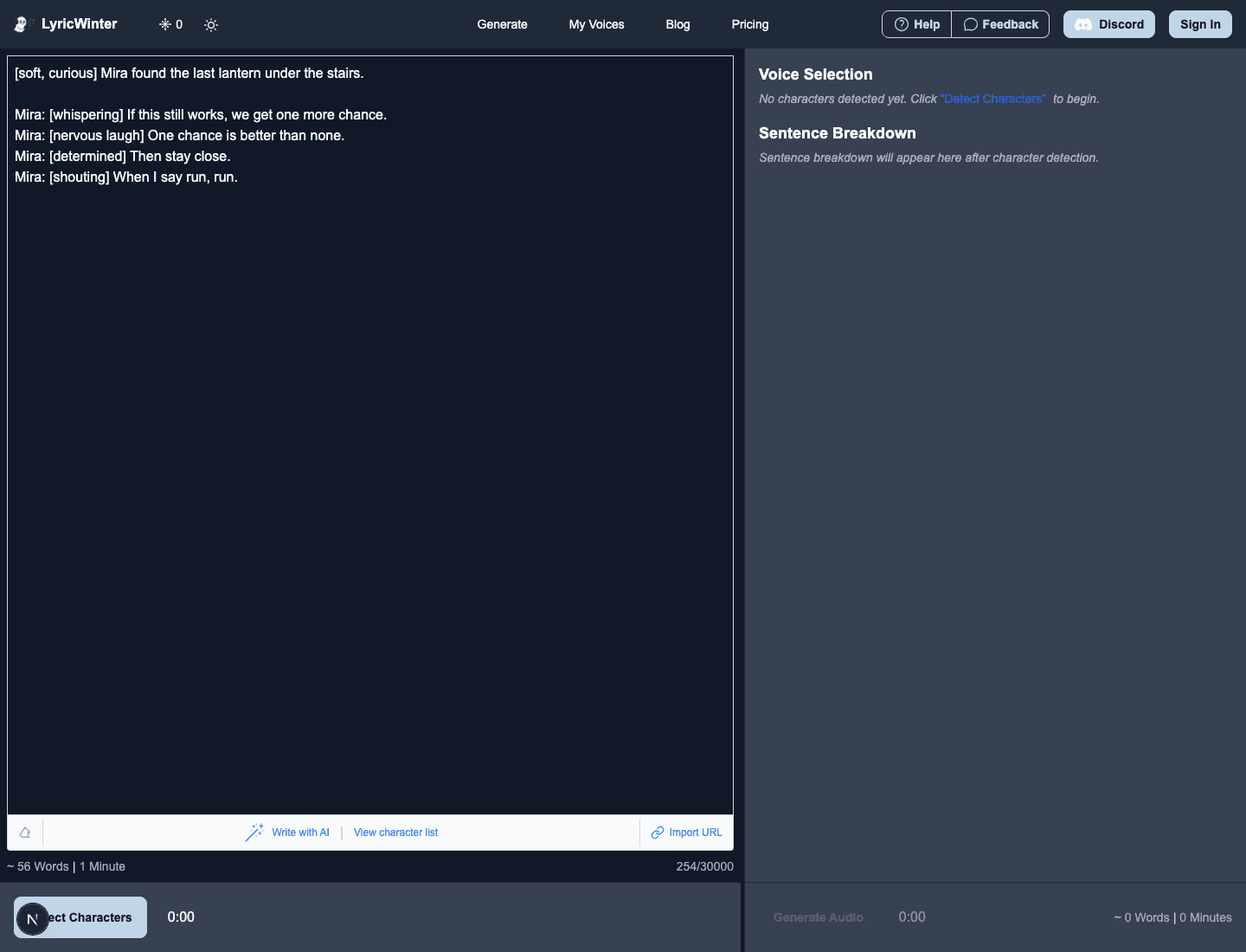
- Before detection: paste a script or story that already contains Chatterbox tags. This is fastest when you know the beats before generation.
- After detection: click a detected line, edit the line text, add the tag, confirm the edit, then generate or regenerate audio. This is better when you want to inspect speaker splits first.
In both cases, make sure the character is using the Chatterbox FAL model. Other voice models can treat these tags differently.
Good Tags to Start With
Use Chatterbox tags for moments where the nonverbal sound is part of the scene. These are reliable starting points:
<sigh>for resignation, relief, exhaustion, or a quiet emotional turn.<chuckle>for restrained amusement or a line that should not become a full laugh.<laugh>when laughter is the point of the beat.<gasp>for surprise, fear, or sudden realization.<groan>for pain, annoyance, dread, or reluctant effort.
A Good Workflow
Do not tag everything. First generate a clean version of the scene. Listen for the lines where the human beat is missing or the reaction feels too flat. Add tags only to those lines, then regenerate the affected clips or the scene.
For a long scene, a handful of Chatterbox tags is usually enough. The model can still infer tone from punctuation and context, so reserve explicit tags for beats that need a clear sound.
Common Mistakes
- Using square brackets: use
<sigh>for Chatterbox, not[sighing]. - Tagging a line that does not use Chatterbox FAL: other models may read the tag as literal text or ignore it.
- Stacking too many effects: one tag near the beat is usually clearer than chaining several tags into every sentence.
- Using tags instead of performable words: tags help, but the surrounding text, punctuation, and rhythm still shape the result.
Chatterbox Emotion Tag FAQ
Do Chatterbox emotion tags work in LyricWinter?
Yes. Use the Chatterbox FAL voice model on a voice that supports sample-based generation, then place tags such as <laugh>, <sigh>, or <gasp> in the text sent to audio generation.
Should I use angle brackets or square brackets?
Use angle brackets for Chatterbox tags. Square-bracket emotion tags are for Fish Audio S2 Pro in LyricWinter.
Will LyricWinter add Chatterbox tags automatically?
No. Treat Chatterbox tags as manual performance direction. Add them in the story text before detection, or edit a detected line before generating or regenerating audio.
Can I use Chatterbox tags with every model?
No. Other models may ignore the tag or read it aloud. Use these tags only when the selected voice model is Chatterbox FAL.