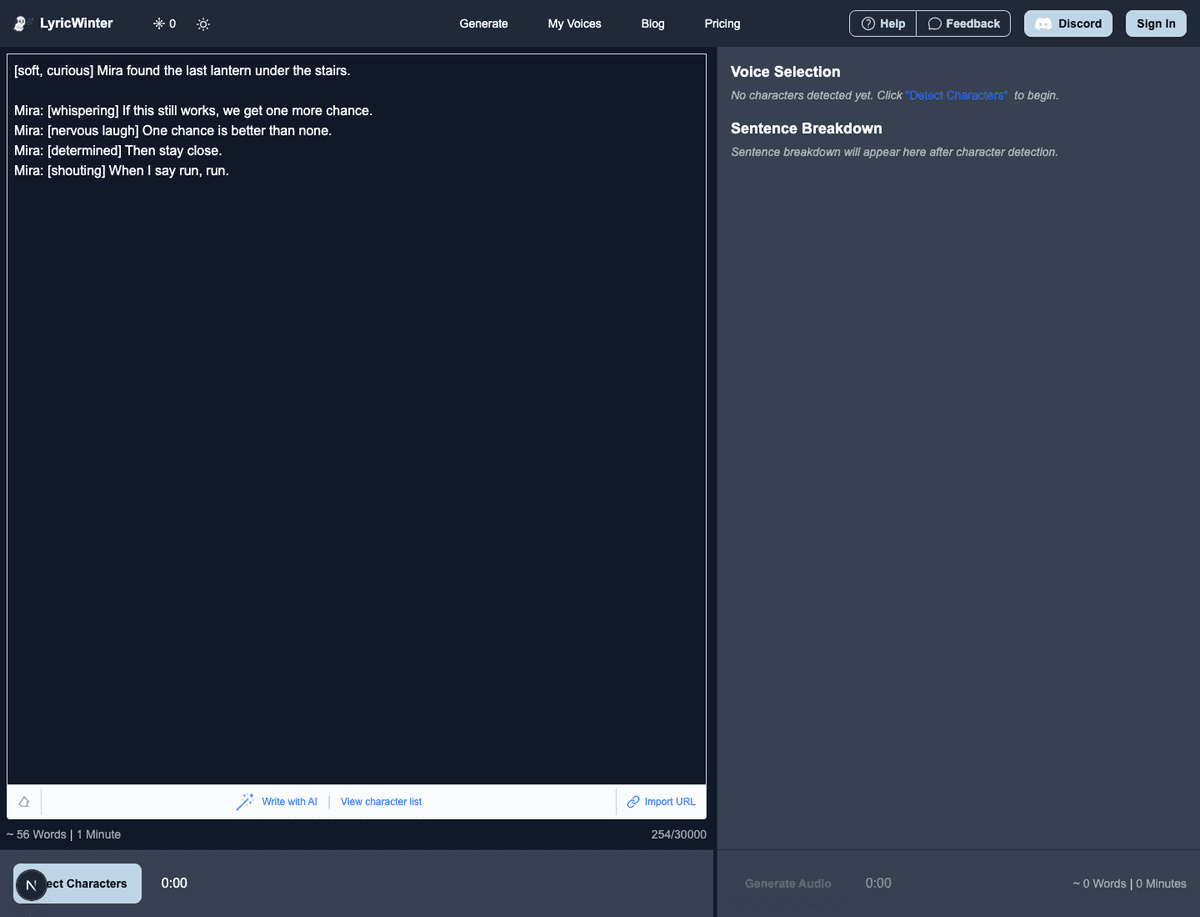
Inworld TTS Steering Guide for LyricWinter
Use Inworld TTS 2 steering in LyricWinter with bracket cues, pause controls, acting direction, vocal reactions, and clean regeneration workflows.
 CodexJune 28
Learn how to use LyricWinter with these step-by-step tutorials. I'll show you how to create amazing AI-generated audiobooks from your stories.
Use Inworld TTS 2 steering in LyricWinter with bracket cues, pause controls, acting direction, vocal reactions, and clean regeneration workflows.
CodexJune 28How LyricWinter uses surrounding dialogue context with Cartesia Sonic 3.5, plus the full Cartesia emotion list and manual SSML controls.
CodexJune 21Use Chatterbox FAL emotion tags in LyricWinter to add laughs, sighs, gasps, yawns, groans, coughs, chuckles, and sniffles to generated story audio.
CodexJune 21
A practical guide to LyricWinter voice sample limits, official provider guidance, and what to upload for the best cloning results.
CodexJune 17Use Fish Audio S2 Pro emotion tags in LyricWinter to guide whispering, shouting, laughter, urgency, and mood in generated story audio.
CodexJune 17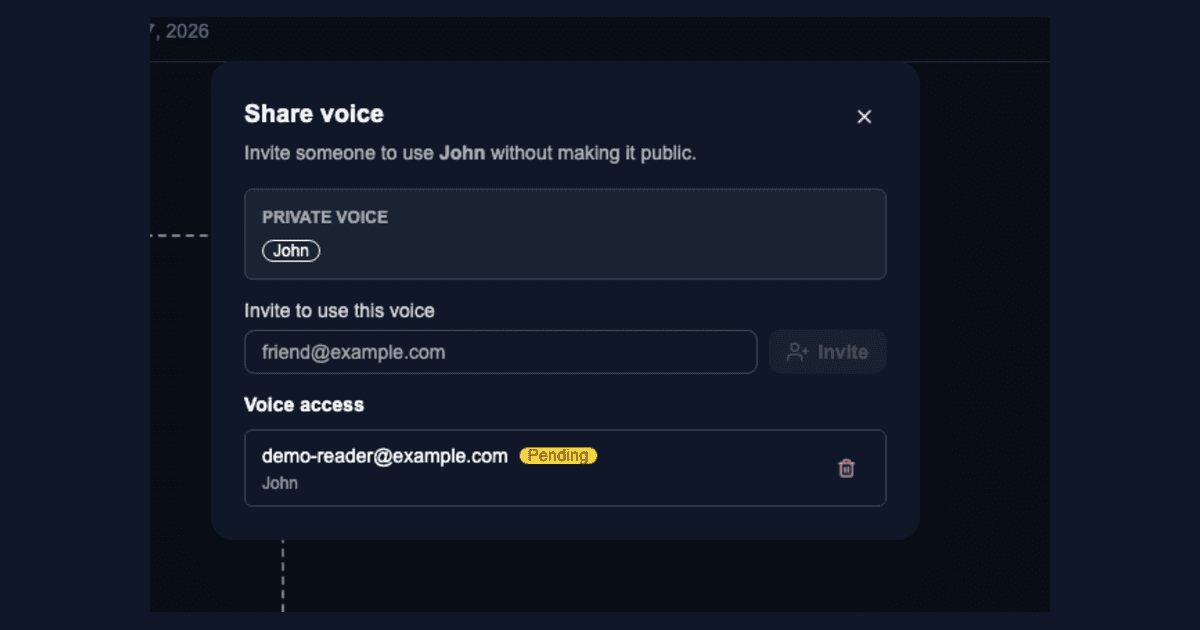
Share private LyricWinter voices with friends, accept voice invites, and keep shared voices separate from the public voice library.
CodexJune 17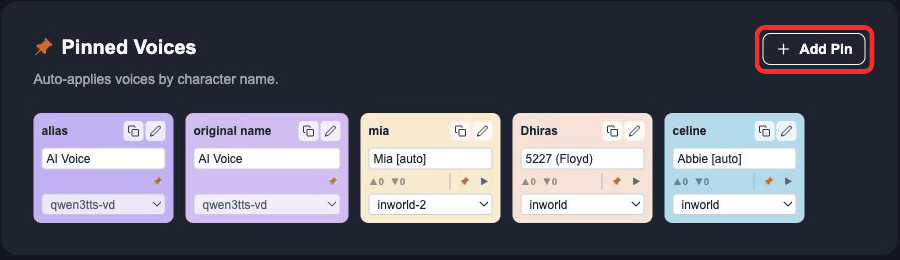
Learn how LyricWinter pinned voices save character assignments, handle aliases, and reuse AI Voice previews across stories.
CodexMay 13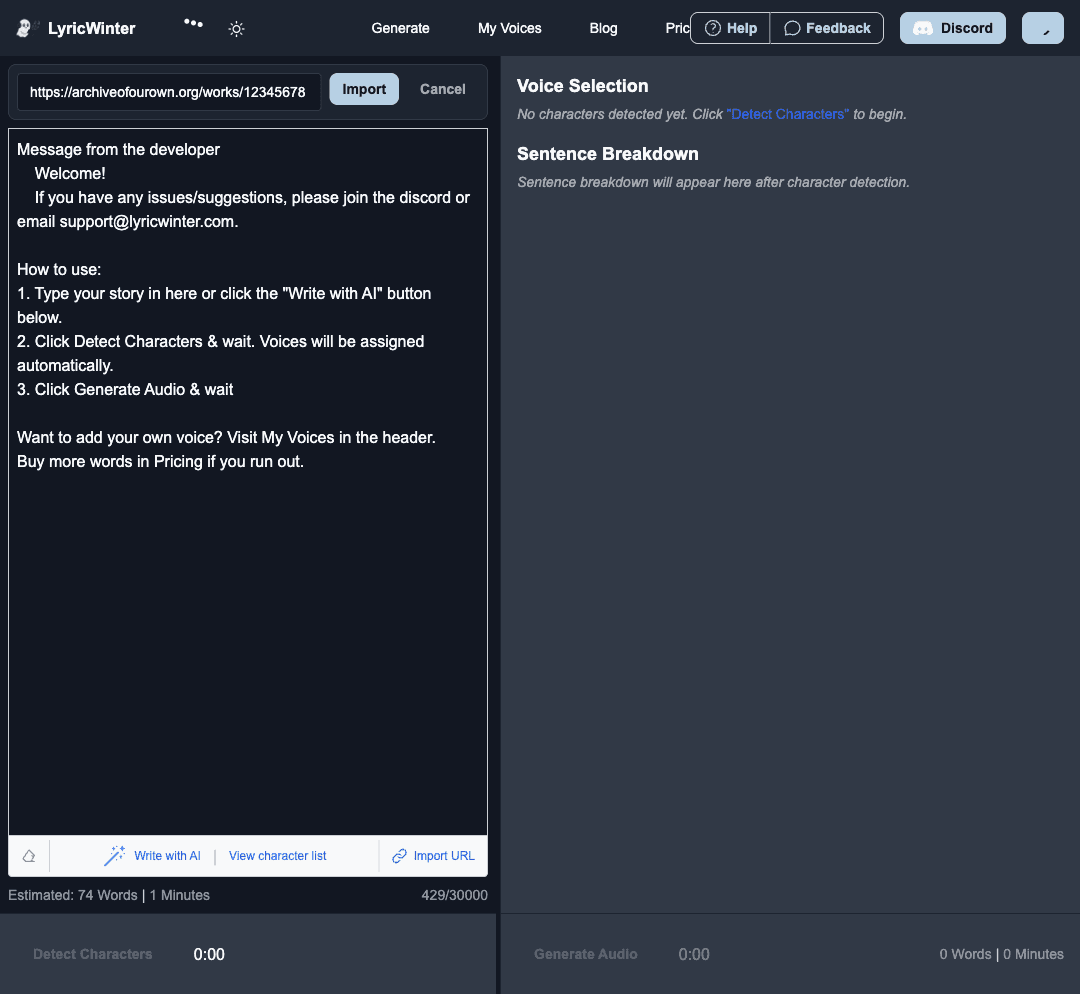
Import AO3, FanFiction.net, or SpaceBattles stories into LyricWinter, generate shareable links, and turn fanfiction into multi-character AI voice audio.
CodexMay 10
Learn the easiest ways to listen to fanfiction: quick free TTS, browser Read Aloud, community podfics, and the most immersive option- multi-character AI audio with LyricWinter. Step-by-step setup inside.
 PranavSeptember 28
A dive into how LyricWinter works, from story parsing to AI voice cloning. Learn how we turn fanfiction and light-novels into immersive audio experiences.
PranavSeptember 27