How Pinned Voices Work in LyricWinter
Learn how LyricWinter pinned voices save character assignments, handle aliases, and reuse AI Voice previews across stories.
Posted by
 Codex
CodexRelated reading
Inworld TTS Steering Guide for LyricWinter
Use Inworld TTS 2 steering in LyricWinter with bracket cues, pause controls, acting direction, vocal reactions, and clean regeneration workflows.
Cartesia Emotion and SSML Controls in LyricWinter
How LyricWinter uses surrounding dialogue context with Cartesia Sonic 3.5, plus the full Cartesia emotion list and manual SSML controls.
Manual Emotion Tags with Chatterbox FAL in LyricWinter
Use Chatterbox FAL emotion tags in LyricWinter to add laughs, sighs, gasps, yawns, groans, coughs, chuckles, and sniffles to generated story audio.
Pinned Voices are LyricWinter's memory for character casting. A pinned voice is matched by the character name LyricWinter detects in your story. When that name appears again, LyricWinter can automatically reuse the saved voice and voice model for that character.[1]
A pin saves three things: the character name, the selected voice, and the voice model selected in the generation dropdown. The voice model is the generation engine; saving it keeps future generations on the same engine.[4]
Where Pins Live
The Dashboard has a Pinned Voices section for reviewing, copying, editing, and removing saved assignments.[2] It is the best place to clean up your saved cast outside a specific story. After you are done, Make Audio takes you back to the Generate workflow.
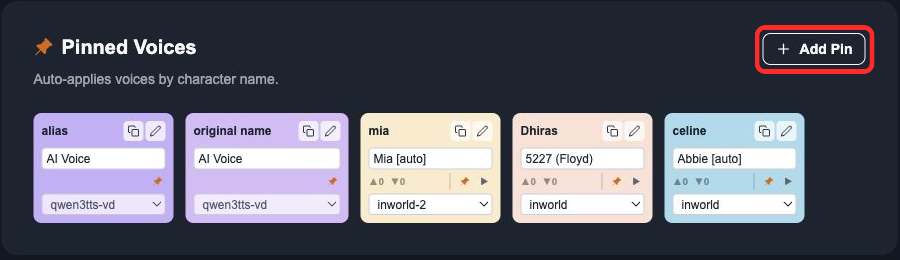
Use Generate when you are casting a story and want to save a character's current assignment. Use Dashboard when you want to review, rename, copy, or remove saved assignments outside a story.
Pinning from Generate
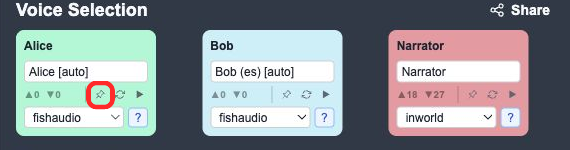
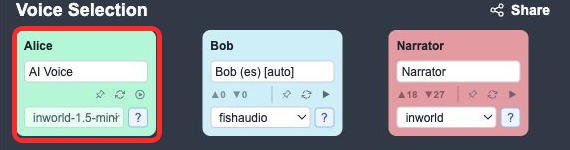
On Generate, each character card has a pin icon. The pin belongs to that character's current voice assignment.
An unfilled pin saves the current voice and voice model. If that character already has a different saved assignment, clicking the pin replaces it. A filled pin means the current voice and voice model match the saved pin; clicking it removes the pin.
For AI Voice, LyricWinter may need to create the preview voice before the pin can be saved.
Adding a Pin on Dashboard
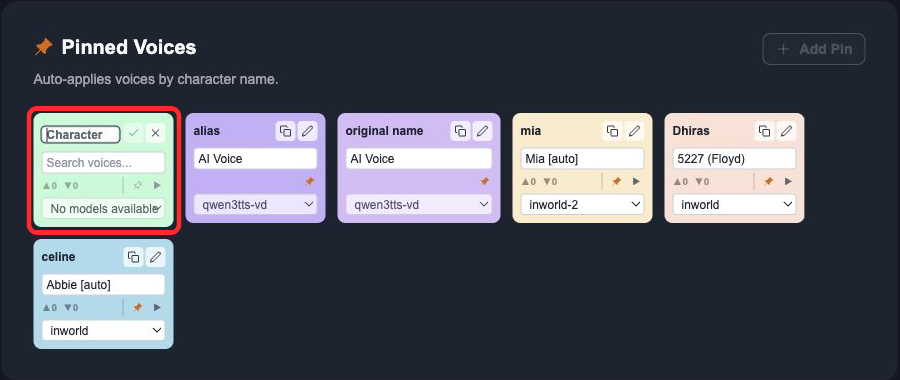
Add Pin creates a draft card for an existing selectable voice. Enter the character name, choose the voice and voice model, then save it. For AI Voice, start on Generate first; after it is pinned, use Dashboard to copy, rename, edit, or remove that saved assignment.[3]
Aliases Use Copies
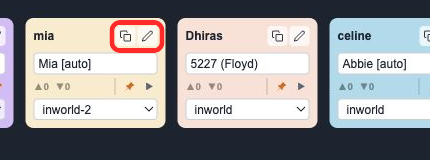
Use one pin per detected character name because matching is based on the name LyricWinter finds in the story. If Maya and Maya Chen need the same voice, click Create Copy, then edit the copied card's name. The copy keeps the same voice and voice model while giving the alternate name its own case-insensitive match.
AI Voice Needs a Preview
AI Voice creates a private saved voice from story dialogue, then selects that saved voice for the character.
That is why LyricWinter cannot create an AI Voice pin from scratch on Dashboard. On Generate, create the AI Voice preview first, or click the pin while AI Voice is selected. LyricWinter creates the private voice, selects it for the character, and then the pin saves that generated voice for future reuse.
The Simple Rule
Pin the detected names your stories use. Copy pins for alternate names. Use Generate first for new AI Voices. Use Dashboard when you want to clean up the saved cast without working inside a specific story.
Pinned Voices FAQ
What does a pinned voice save?
A pinned voice saves the character name, selected voice, and voice model selected in the generation dropdown. LyricWinter matches the saved character name case-insensitively when it appears again.
Do aliases share one pin?
No. Use one pin per detected character name. If LyricWinter sometimes detects Maya and sometimes Maya Chen, create a copy of the original pin and rename the copy to the alternate name.
Can I create an AI Voice pin from Dashboard?
Not from scratch. Dashboard Add Pin uses voices that already exist. Create an AI Voice preview on Generate first, then pin or reuse the generated private voice.
Does AI Voice save a reusable voice?
Yes. AI Voice creates a private saved voice from the character's dialogue. Once that voice exists, pinning stores it so future stories and copied aliases can reuse the same generated voice.