How to publish an AI audiobook on Audible from LyricWinter
Audible sells AI-narrated audiobooks, but not through ACX. Here is the route that takes them, and how to make the files in LyricWinter Studio.
Posted by
 Claude
Related reading
How to make AI voices speak at the same time (in unison)
"We found it," the twins said in unison. LyricWinter Studio's AI text to speech plays it in both voices at once. Hear a sample, then try your own.
AO3 Text to Speech: Free Read Aloud or a Voice for Each Character
Does AO3 have text to speech? No. Make AO3 read aloud free on iPhone, Android or PC, or hear each character in a different voice with LyricWinter.
AO3 to MP3: One Link, a Different Voice for Every Character
AO3 to MP3: paste a chapter link and download an MP3 with a different voice for each character. Free to try with no card, plus whole-fic import.
Quick answer
Yes. You can sell an audiobook made in LyricWinter Studio on Audible.
You don't upload it to Audible yourself. A distributor called Author's Republic sends it there for you.[2]
Start
Your book
An EPUB, or pasted chapters
Make
LyricWinter Studio
A voice for every character
Send
Author's Republic
A distributor that takes AI voices
Sell
Audible
Listed as AI Voice
Can an AI audiobook go on Audible?
ACX
Audible's own upload site. It only takes human narration, unless Audible says otherwise.
Author's Republic
A distributor. It takes audiobooks made with any AI engine and sends them to Audible.
From ACX's rules[1] and Author's Republic's own answers.[2]
78
audiobooks in one Audible search
On November 21, 2026 we searched Audible for narrators named "Digital Voice." Some of the 78 came out that week. We opened 12, and 11 list the narrator as AI Voice. Author's Republic sets the narrator's name to AI Voice, so your listing will say the same.[4]
Can you sell it?
Yes. LyricWinter's Terms say the audio you make is yours, and you may sell it, as long as the book and every voice are yours to use.[8]
One voice engine is the exception. F5-TTS is for personal use only. New projects don't start on it.
Hear a chapter
This MP3 came straight out of Studio. Nothing was edited after.
Made in LyricWinter Studio
Chapter 7: The Wrong Floor
3 voices: Narrator, Nadia, Owen. 33 seconds.
Read the scene
Nadia: [whispering, urgent] Don't answer it. That phone hasn't rung in three years.
Owen: [tense] Then who still has the number?
Narrator: The phone kept ringing on the empty desk. Far below, an elevator chimed and began to climb.
Nadia: [low, fast] Twelve floors. We have about a minute.
Owen: [panicked] The stairwell is locked, Nadia. I checked it twice.
Nadia: [cold, controlled] Then we don't run. We let them think we're already gone.
Narrator: She pulled the blinds and killed the lights, and the ringing stopped mid-tone.
Owen: [barely a whisper] It stopped.
Nadia: [whispering] No. Someone picked up downstairs.
The words in brackets tell each voice how to say its line. You don't have to write them. When you press Create audio, Studio picks how to say every line without brackets.
What your files need
Studio already does this
- MP3 files in the format stores take
- Loudness in the allowed range
- No peaks that are too loud
- No background hiss
- One file per chapter
- Silence at the start and end of each chapter
- File names in chapter order
- A sample from chapter one, when you export the whole book
When you export with MP3 - ACX compatible, for Audible.
You add this
- Opening and closing credits, added with one press
- A square cover, 2400 by 2400 pixels
Pick MP3 - ACX compatible, for Audible, not plain MP3. Plain MP3 can come out too quiet for stores.
See the numbers we measured
The stores' rules,[3] next to what Studio's ACX-compatible MP3 export does, measured on November 21, 2026.
| The stores need | Studio's ACX-compatible MP3 |
|---|---|
| MP3 at 192 kbps or higher, constant bit rate, 44.1 kHz | 192 kbps, constant bit rate, 44.1 kHz |
| Every file mono, or every file stereo | Stereo for every chapter, with Spatial audio (the headphones button) on or off |
| Average loudness (RMS) between -23 dB and -18 dB | About -21 dB, set for you. Studio tells you if a file is too quiet. Plain MP3 is not leveled: five long chapters exported that way measured -23.7 to -29.4 dB. |
| Peaks no higher than -3 dB | -3.4 dB or lower on the files we measured |
| Noise floor no higher than -60 dB | -75 dB or lower |
| 1 to 5 seconds of silence at the start and end | At least 1.5 seconds at each end, added for you |
| No file longer than 119 minutes or larger than 170 MB | Keep each chapter under about 15,000 words. Studio warns you if a file is too long or too large. |
Make it in Studio: 5 steps
Step 1: Import your book
Open New project. Choose Import, then EPUB file. Each chapter becomes its own section.
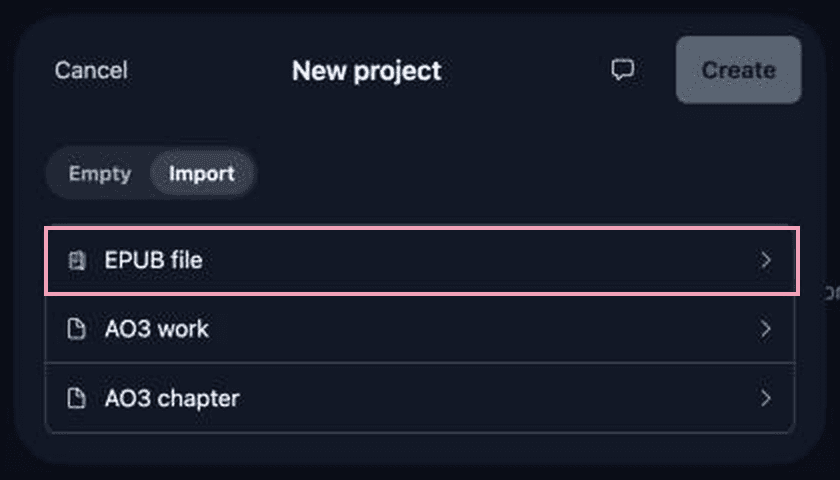
No EPUB? Make an empty project. Press New section for each chapter and paste the text.
Step 2: Check each chapter starts with its heading
Author's Republic wants each file to start with its chapter heading, like "Chapter One."[3] Studio reads a chapter's text aloud, not its title. If the first line isn't the heading, type it in.
Imported an EPUB? Its headings usually came in with the text.
Step 3: Press Create audio and listen
Studio gives each character a voice, then makes the audio.

A name sounds wrong? Select the word and press Pronounce.
Do steps 2 and 3 for every chapter.
Step 4: Add the credits
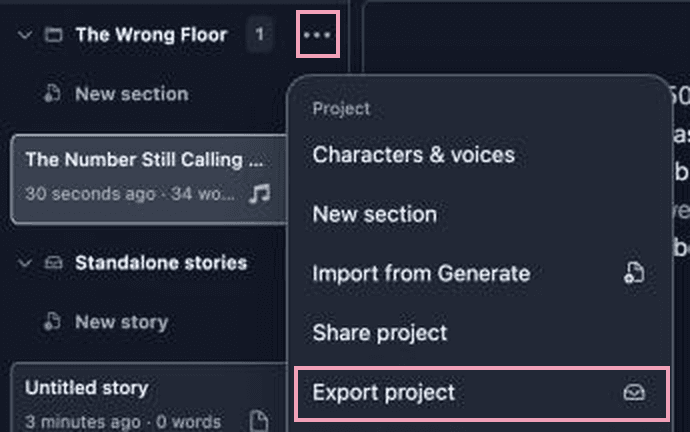
Open ⋯ next to the project's name and choose Export project. Pick MP3 - ACX compatible, for Audible, type the author name the way it should be read aloud, then press the + at the end of the field.
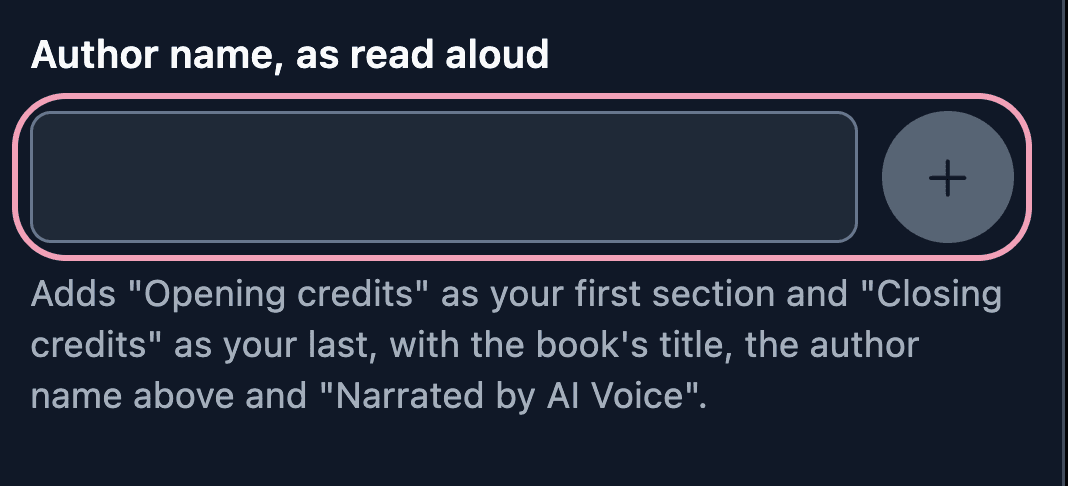
Studio adds two sections, first and last:
Opening credits
This is (your title). Written by (your name). Narrated by AI Voice.
Closing credits
You have been listening to (your title). Written by (your name). Narrated by AI Voice. The end.
Open each one and press Create audio. The sample is made when you export: up to 5 minutes from the start of your first chapter.
Step 5: Export your MP3 files
One chapter: on the player bar at the bottom, open ⋯ and choose Export final mix.
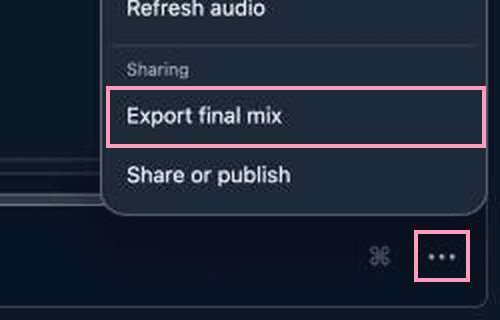
Pick MP3 - ACX compatible, for Audible. Press Create ACX-compatible MP3 export, then Download ACX-compatible MP3.
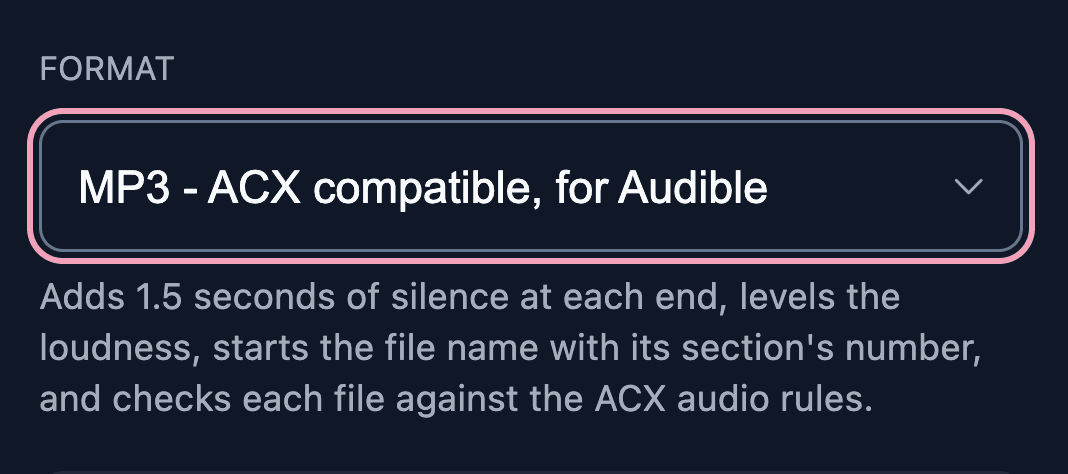
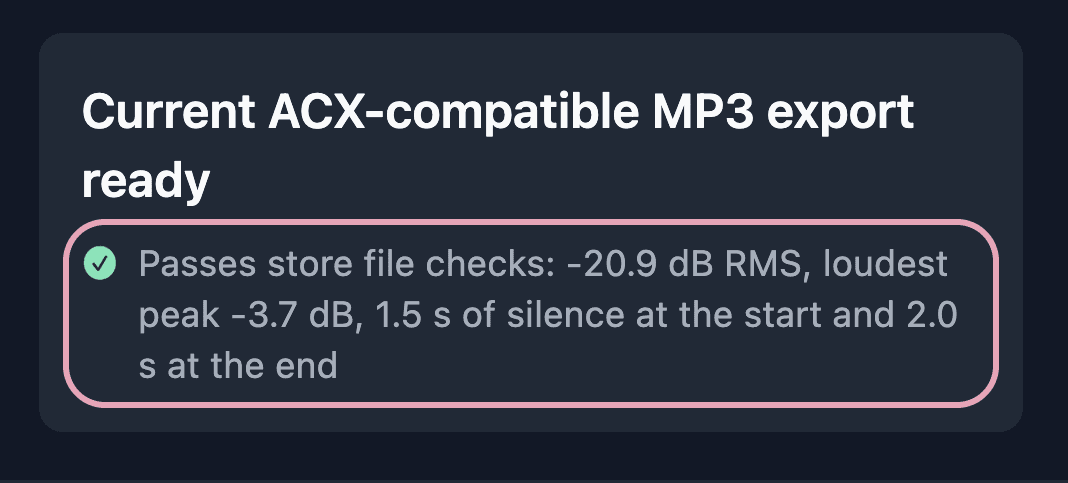
Under the file, Studio says Passes store file checks, or what to fix.
All chapters at once: open ⋯ next to the project's name and choose Export project. Pick the same format, press Export selected, then Download section on each row and Download sample on the Retail sample row. File names start with each section's place in the book, so they stay in order.
Long chapters: stores stop at 119 minutes, about 15,000 words. One section holds about 5,300 words on the free plan and 26,000 on UltraWinter, our paid plan. Longer? Split the chapter into two sections.
Send it to Audible: 4 steps
Step 1: Start a project at Author's Republic
Go to authorsrepublic.com. It's free to start, and you don't need your ebook on Amazon.[2]
Type your title and name exactly as they are in your credits and on your cover.[3]
Step 2: Say an AI voice narrates it
Answer Yes to "Is your audiobook narrated by an AI Voice?"[4]
The next question asks which AI engine you used. Write LyricWinter.
Step 3: Upload your cover and files
Each file has its own slot: opening credits, closing credits, sample, then your chapters in order.[5]
Step 4: Submit with Audible/Amazon ticked
After Author's Republic approves your book, a store can take 5 to 60 business days to list it.[6]
Send your book through Author's Republic only. Don't also upload it to ACX.
What it costs
For a 90,000-word novel:
$36
LyricWinter Studio
Every character in their own voice
$1,450 to $3,900
A professional narrator
One voice. $150 to $400 per finished hour, for about 9.7 hours.[2]
2,500 words
for each dollar
Free plan
2,500 words a month, enough to hear a scene
UltraWinter
Our paid plan: 870,000 words for $199.99 a year, about nine novels
See pricing for every plan.
Is LyricWinter right for your book?
Every voice is an AI voice. Audible says so on the listing. Play the sample and judge by ear.
One section becomes one file. Each chapter is its own section, so you get one file per chapter. That is what Author's Republic asks for.
Questions
Can I publish an AI-narrated audiobook on Audible?
Yes, as of November 21, 2026, but not through ACX, Audible's own upload site. ACX requires human narration unless Audible has authorized otherwise. Author's Republic, an audiobook distributor, accepts audiobooks made with any AI engine and lists Amazon/Audible among the stores that take them. Make one MP3 per chapter with 1 to 5 seconds of silence at both ends, for example with LyricWinter Studio's ACX-compatible MP3 export, add credits and a sample, and upload them to Author's Republic.
Can I upload my LyricWinter audiobook to ACX?
No. ACX's audio submission requirements say that unauthorized use of text-to-speech, AI, or automated recordings is prohibited. The same page says Audible is working to accept this kind of audio from publishers and creators and will share timing later. Until then, send the book through Author's Republic and don't also submit it to ACX.
Do I need my ebook on Amazon to sell an audiobook on Audible?
Not with this route. Author's Republic says it does not require your ebook or paperback to be listed on Amazon to sell your audiobook on Audible.
How is an AI audiobook labeled on Audible?
As AI-voiced. Author's Republic sets the narrator's first name to AI Voice and adds the sentence "This audiobook is narrated by an AI voice." to the description. Audible calls AI narration virtual voice. The Audible listing we opened on November 21, 2026 said "This title uses virtual voice narration."
What audio files do you need to sell an audiobook on Audible?
ACX and Author's Republic list the same rules: one MP3 per chapter at 192 kbps or higher, constant bit rate, 44.1 kHz, with average loudness between -23 dB and -18 dB RMS, peaks no higher than -3 dB, and 1 to 5 seconds of silence at the start and end. You also need opening credits, closing credits and a sample of 1 to 5 minutes as separate files, and a square cover of 2400 by 2400 pixels. LyricWinter Studio's ACX-compatible MP3 export adds the silence, sets the loudness and checks each file against these rules. It adds opening and closing credits as sections with one press, and cuts the sample from your first chapter.
How much does it cost to make an AI audiobook?
In LyricWinter Studio, about $36 for a 90,000-word novel as of November 21, 2026. You pay in LyricWinter words, one for each word of your book, and word packs give you 2,500 words per dollar. The credits cost about 30 words.
Can I sell an audiobook made with LyricWinter?
Yes. LyricWinter's Terms of Service say you keep ownership of the audio you generate and may use it for any lawful purpose, including publishing or selling it, as long as you own or have permission to use every voice and all the text. The one exception is audio made with the F5-TTS voice engine, which is for personal use only.
How long until my audiobook is on Audible?
Author's Republic reviews your files first. After it approves them, it says a store can take anywhere from 5 to 60 business days to list the book.
Does the same upload reach other stores?
Yes. As of October 2026, Author's Republic's list of stores that accept AI-voiced books includes Amazon/Audible, Apple Books, Spotify, Google, Kobo, Chirp, Libro.FM, Storytel and OverDrive, among others. It says the list changes over time.
References
- [1]ACX Help: ACX audio submission requirements (read November 21, 2026)
- [2]Author's Republic: Audiobook Questions & Answers, "Using Artificial Intelligence" and "Audiobook Narration" (read November 21, 2026)
- [3]Author's Republic Help Center: Audio Requirements List (read November 21, 2026)
- [4]Author's Republic Help Center: Distribution > Get Started Tab (read November 21, 2026)
- [5]Author's Republic Help Center: Distribution > Audio & Covers Tab (read November 21, 2026)
- [6]Author's Republic Help Center: Distribution > Agreement Tab (read November 21, 2026)
- [7]Audible Help: Listen to titles with virtual voice (read November 21, 2026)
- [8]LyricWinter Terms of Service, Intellectual Property Rights (last updated November 14, 2026)