Import AO3, FanFiction.net, and SpaceBattles Stories into LyricWinter
Import AO3, FanFiction.net, or SpaceBattles stories into LyricWinter, generate shareable links, and turn fanfiction into multi-character AI voice audio.
Posted by
 Codex
CodexRelated reading
Inworld TTS Steering Guide for LyricWinter
Use Inworld TTS 2 steering in LyricWinter with bracket cues, pause controls, acting direction, vocal reactions, and clean regeneration workflows.
Cartesia Emotion and SSML Controls in LyricWinter
How LyricWinter uses surrounding dialogue context with Cartesia Sonic 3.5, plus the full Cartesia emotion list and manual SSML controls.
Manual Emotion Tags with Chatterbox FAL in LyricWinter
Use Chatterbox FAL emotion tags in LyricWinter to add laughs, sighs, gasps, yawns, groans, coughs, chuckles, and sniffles to generated story audio.
LyricWinter now has a faster path from found a story to listening to a voiced version: paste a supported story URL, import the text, and continue with the normal character detection and audio generation flow.[1]
The feature is built for the place readers already start: a fic page. Instead of copying an entire chapter by hand, you can bring the text into the Generate page with one link, then let LyricWinter do what it already does best: detect speakers, assign voices, and generate character-separated audio.[3]
Where to Find It
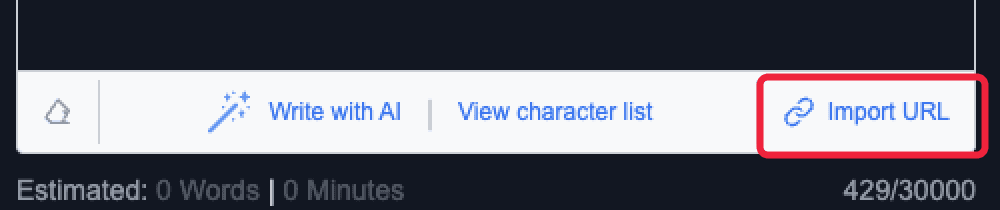
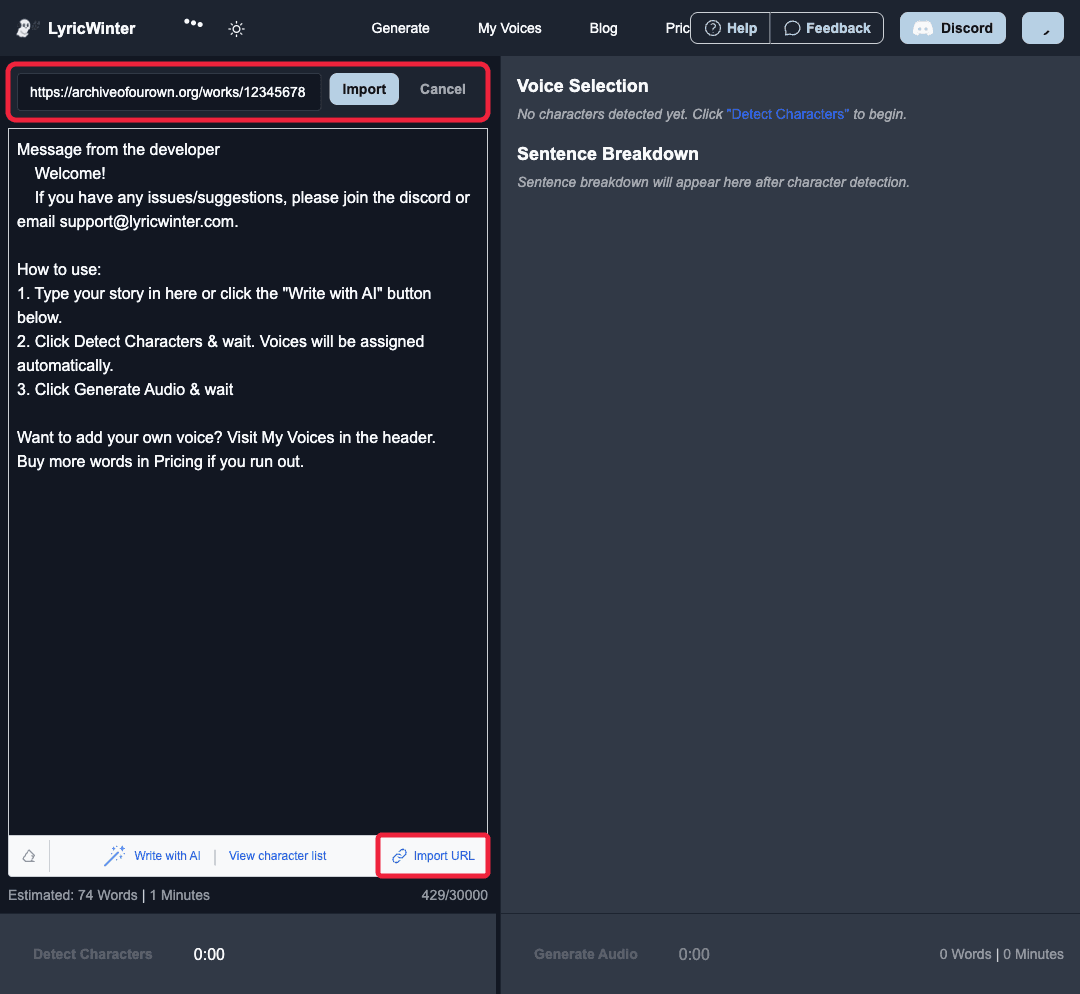
Open the Generate page and look at the action bar below the story text box. Next to Write with AI, there is an Import URL button. That button keeps URL import close to the main writing and listening workflow without making the page heavier.
Click it and LyricWinter opens a small URL field above the editor. Paste the story link, press Import, and the imported story text replaces the editor contents when the import succeeds.
What the Import Does
URL import is intentionally narrow: it extracts story content, drops that text into the editor, and hands control back to you. You still get the same review step before character detection, so you can trim author notes, split long works by chapter, or make edits before spending Snowcoins.
- Supported today: Archive of Our Own, FanFiction.net, and SpaceBattles story links.[4][5][6]
- Imported metadata: when available, LyricWinter reads the title, author, fandom, characters, word count, and chapter count.
- Next step: after import, click Detect Characters and continue through voice selection and audio generation like a pasted story.[3]
If a story is locked behind an account, blocked by the source site, or cannot be parsed cleanly, LyricWinter fails clearly and asks you to paste the text directly. That fallback matters: the import feature should save time, not trap you in a half-imported state.
Shareable Import Links and Buttons
There is also a direct-link version for workflows outside the page. Add an encoded story URL to the Generate page with import_url, and LyricWinter will start the import when the page loads. That makes it easy to add a Listen with LyricWinter button to a rec list, blog post, author note, newsletter, or fandom guide.
<a href="https://lyricwinter.com/generate?import_url=..." style="white-space:nowrap;">Listen with LyricWinter</a>
Paste an AO3, FanFiction.net, or SpaceBattles story URL to build a LyricWinter import link.
This is intentionally a plain link, not a script widget. It works anywhere HTML links work and avoids asking site owners to embed JavaScript. The result is the same: the story lands in the editor, then you decide when to detect characters and generate audio. Today, the importer is limited to supported story platforms like AO3, FanFiction.net, and SpaceBattles; for arbitrary web pages, paste the text directly into the Generate page instead.
Best Way to Use It
Treat URL import as the beginning of the audio workflow, not the whole workflow. For long works, import one chapter or manageable section at a time. Review the text before detection, then generate audio once the input looks right. That keeps speaker detection cleaner and makes the listening experience easier to manage.[2]
Start at Generate, import a supported link, and turn the page you were already reading into a voiced LyricWinter listen.
URL Import FAQ
Can I import AO3 stories into LyricWinter?
Yes. Paste an Archive of Our Own story URL into LyricWinter's URL import field, or build a LyricWinter import link with the generator on this page. LyricWinter imports the story text so you can detect characters and generate multi-character AI audio.
Can I import FanFiction.net stories into LyricWinter?
Yes. FanFiction.net story links are supported by URL import. Paste the story URL into Generate, then review the imported text before running character detection and audio generation.
Does LyricWinter URL import work for every website?
No. URL import currently supports AO3, FanFiction.net, and SpaceBattles story links. For other websites, copy the story text and paste it directly into LyricWinter's Generate page.
How do I share a LyricWinter import link?
Add the original story URL as the import_url parameter on the LyricWinter Generate page. The link builder on this page creates that URL automatically and gives you a copyable link.
Can I add a Listen with LyricWinter button to my site?
Yes. Use the button HTML generated on this page. It is a normal link styled as a button, so it works in blog posts, recommendation lists, newsletters, and sites that allow custom links.